
Things to talk about with elderly parents on the phone
Thirty-six questions and small topics for calls with an older mother or father, sorted by the kind of day they have had, and how to end a call well.
Sunli is open on the web as an early version. The phone apps are not ready yet.
Today’s card
RuthMother
Ruth sees the eye doctor at three.
Ring her after.
Your mother’s appointment on Thursday. The friend who starts a new job on Monday. Sunli keeps things like these, and each morning it puts one in front of you. You decide what each person sees of you.
How it works
Most of us are not careless with the people we love. We are busy, and we don’t always know what would help.
The screens in the film are a preview of the design, captured from the prototype. The app is still being built. The voice was made with a computer.
You meant to ring your sister today. She lives in Toronto now, and you’re never sure what time it is there.
Everyone has an orbit. The people who matter to you: near, far, gone, or still to come.
Sunli helps you be good to them. It remembers what matters, and gives you one small thing to do today.
Put your people in your orbit. Anyone who matters to you, near or far.
Each person gets a page. Nora likes cardamom tea and long voice notes. She hates the cold. Tell Sunli once, and it remembers.
Hard days go better when people know what helps. Lena wrote it once, in her own words, and chose who reads it.
So when she says nothing’s wrong, Daniel has one small thing he can do today.
Someone far away? See the hours you’re both awake.
Someone gone? Their page stays, with the things they always said.
Talk to the companion. When it isn’t sure, it asks.
By text or by voice. What it keeps about your people, you can see and change.
Sunli. Everyone has an orbit. See how it works — sunli.app
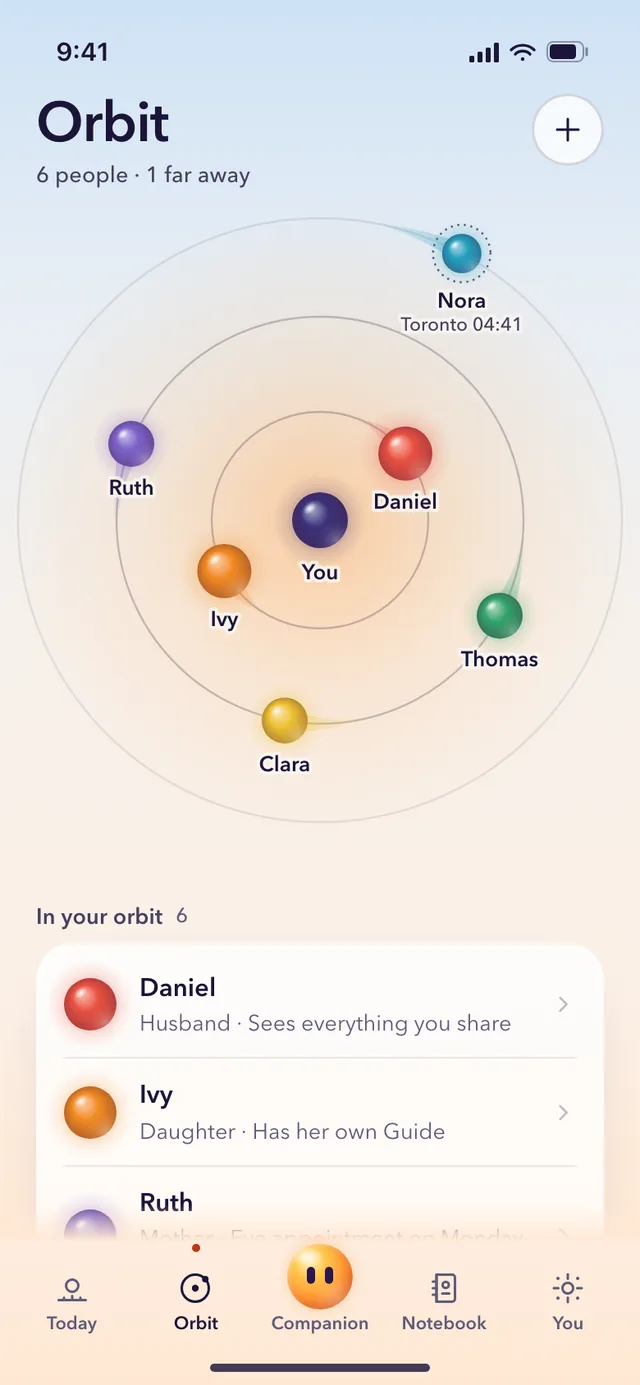
Your wife or husband, your parents, a friend, a colleague. Some live in your house and some are an ocean away. The closest stand nearest to you.
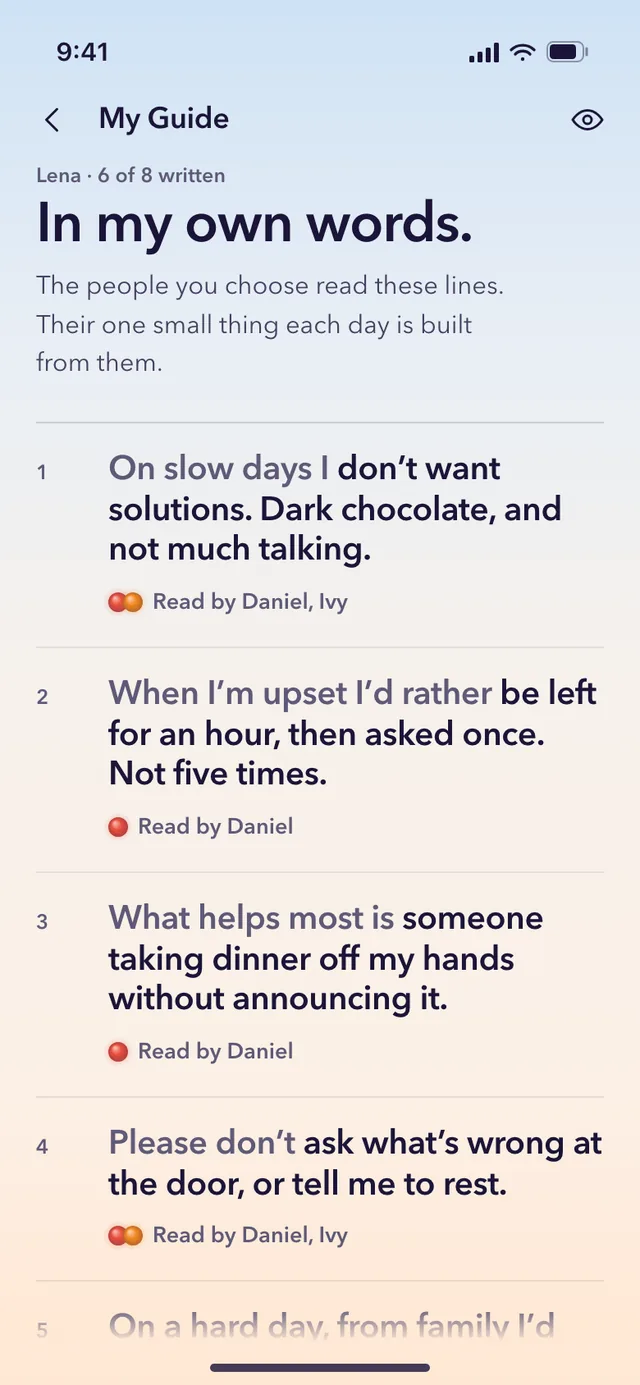
Anyone can keep a Guide: what helps on a slow day, what not to ask at the door. They choose who reads which line.
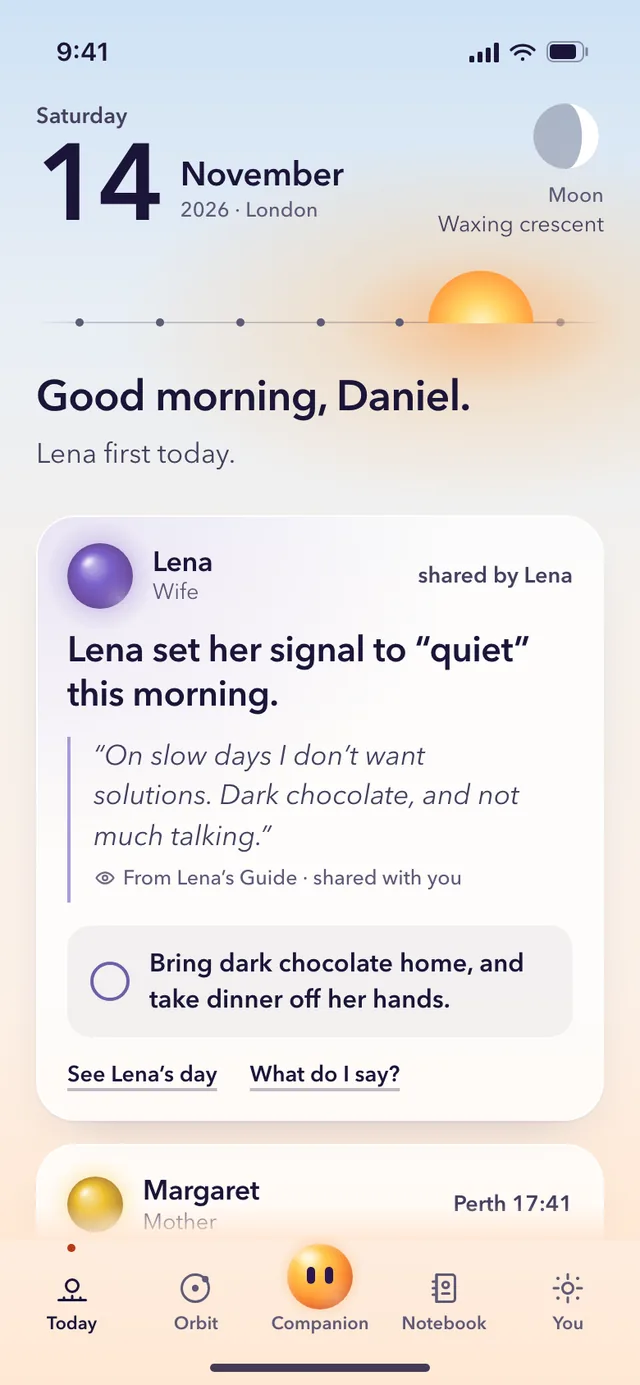
A card for one person, built from what you know and what they wrote. Ring her after the appointment. Have the kettle on.
A preview of the design, captured from the prototype. The app is still being built.
The people who matter to you, drawn as a small sky with you in the middle. Some of them live in your house. Some are an ocean away. One may have died, and some you haven’t met yet. All of them belong.
Near
Being near someone doesn’t mean you know what would help today. Sunli gives you one thing, and often it comes from what they wrote themselves.
Far
Sunli keeps their clock beside yours and tells you a good hour to ring. Your mother doesn’t need the app for any of this.
Remembered
They stay in your orbit. Their page keeps the things they always said and the dates that matter, and it goes quiet on the days that hurt. Nothing in Sunli ever speaks as them.
Still to come
Start with one name, someone you already know. Sunli suggests one small step a week towards them, and helps you write the first line.
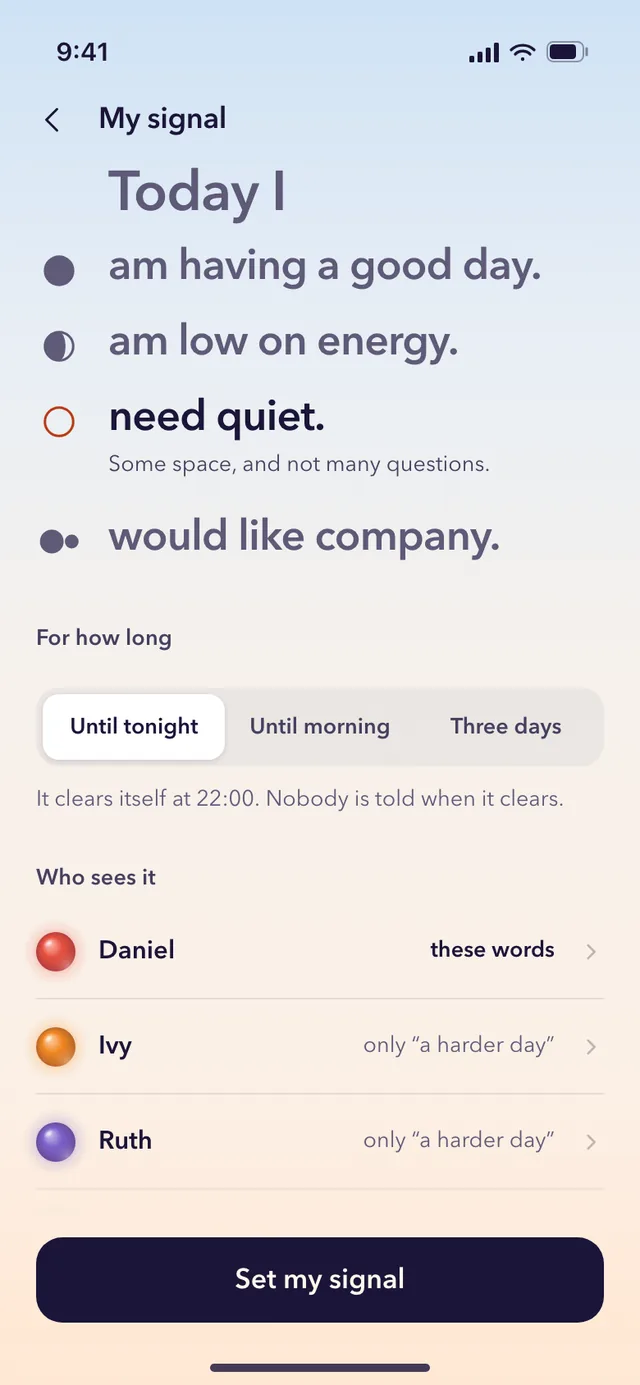
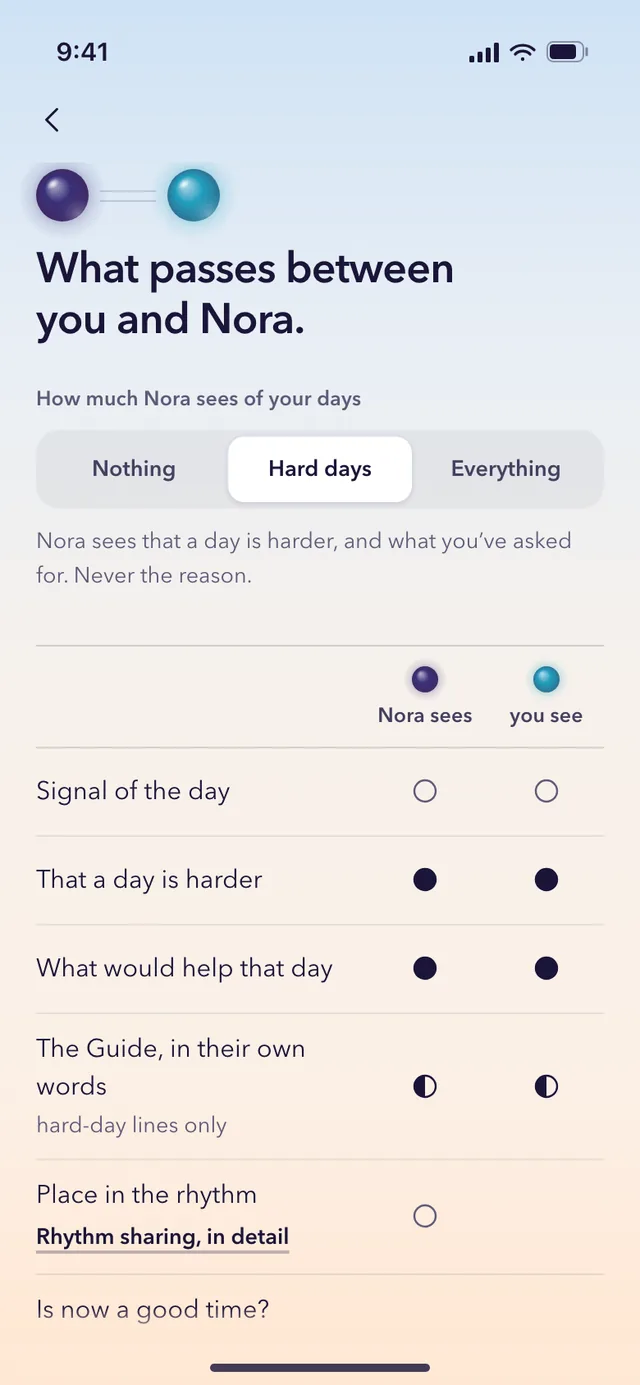
A preview of the design, captured from the prototype. The app is still being built.
On any morning, one tap tells the people you chose how today is.
Today I
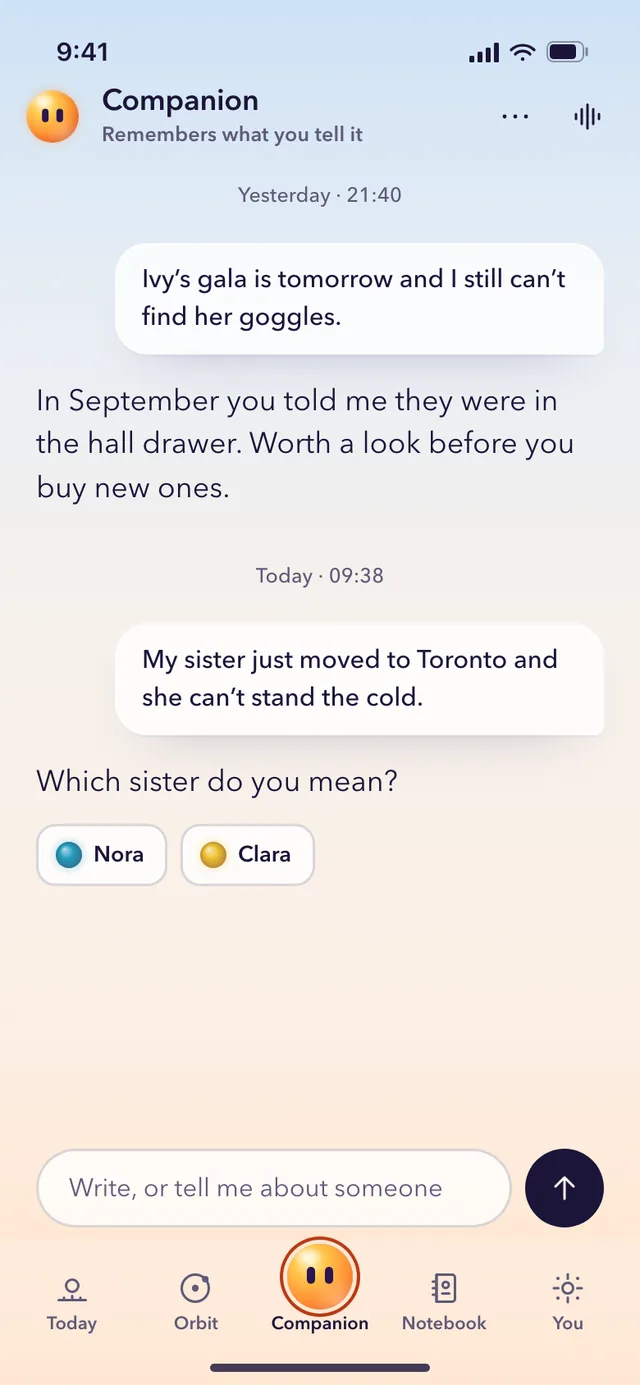
A preview of the design, captured from the prototype. The app is still being built.
The companion
You can write to the companion about the people in your life, for help with the next small step. It knows only what you tell it in that conversation. It does not read your people’s pages and does not change them.
It is an AI with a face, so you always know what you are talking to. It doesn’t play a person, it doesn’t diagnose, and it never speaks as someone who has died.
Before your first message, the app asks if your messages may go to OpenAI, which writes the replies. A small review team at Sunli can read conversations, to make the answers better. You can delete any conversation.
These are the rules Sunli is built by. The privacy policy says what is kept, who can read it and how to delete it.
Works today
Pick two cities and see the hours when you are both awake, and a good time to ring. It runs in your browser and keeps nothing.
Or start with two cities
Sunli is open on the web as an early version. The iPhone and Android apps are being prepared.
There is no list to join. When there is a way to hear from us, it will be on this page.
The early version works on the web today: Open the web app
One part of it works already, here on the site: When can I ring?
Written on 15 November 2026.